

When WordPress starts to go beyond the CMS
.jpeg)

For years WordPress has dominated the web. More than 40% of Internet sites run on this CMS.
However, much of the developer workflow has occurred outside of WordPress.
It was developed locally with third-party applications such as LocalWP, Docker, or custom environments. Then we deployed on different hostings, with different configurations, pipelines and processes. WordPress was at the center of the final product, but not necessarily at the center of the development process.
With the release of WordPress Studio, your new official tool for local development with WordPress, Automattic seems to want to change that dynamic.
The novelty is not so much the tool itself, but what it represents: WordPress is starting to cover more parts of the life cycle of a web project.
To understand why this is relevant, you should start with the basics.
What is WordPress Studio
WordPress Studio is a desktop application designed to easily create and manage local WordPress environments.
The proposal is quite straightforward: install the application, create a site in seconds and start working without having to manually configure PHP, databases or local servers.
In that sense, Studio is reminiscent of tools that have been used in the ecosystem for some time, especially LocalWP, which has become one of the most popular local development environments among WordPress developers.
The difference is in who is behind it.
Studio is an official tool within the ecosystem WordPress, Your Way, which facilitates a more direct integration with your hosting platform and with other services that Automattic offers around WordPress.
.jpg)
The traditional flow of development with WordPress
To understand why this movement is interesting, it is worth looking at how the development with WordPress.
The typical flow is usually something like this:
- local development with external tools
- synchronizing the code or database with a server
- deployment on a hosting
- settings depending on the infrastructure or provider chosen
This model works well, but it also introduces some common friction:
- initial environment configuration
- Differences between development and production
- dependency on external tools
- different deployment processes depending on the hosting
Nothing particularly dramatic, but not particularly simple either
For a long time WordPress has left this part of the process in the hands of the ecosystem: local development tools, infrastructure configurations or deployment flows that each team solved in their own way.
Studio aims precisely at that first step.
WordPress begins to cover more parts of the process
WordPress Studio doesn't appear in a vacuum. It's part of a larger trend within the WordPress ecosystem: offering tools that cover more parts of a project's lifecycle.
.jpg)
Looking at the current landscape, Automattic is already participating in several important phases:
- local development with Studio
- managed hosting with WordPress.com
- business infrastructure with WordPress VIP, the managed platform used by large media and companies to run WordPress on a large scale
- distribution of plugins and themes from the official directory
- editing content with the block editor
Studio fits as the gateway to that process.
In other words, WordPress is starting to move towards a more integrated model, where development, deployment and publication can occur within the same environment.
Something that platforms like Shopify or Webflow have been building for years.
What does this mean for developers
From a technical point of view, tools like Studio have a clear objective: to reduce friction.
Setting up a local environment may seem trivial to an experienced developer, but in large teams or complex projects, each additional step introduces time and potential problems.
A simplified official environment can provide several advantages:
- quick installation
- more consistent configurations
- fewer external dependencies
- a more consistent experience between teams
This can also make it easier for new developers to join a project.
Building an environment, creating a site and starting to work should be almost immediate. If WordPress manages to simplify that first step, it can greatly accelerate the start of new projects.
In other words: less time configuring environments and more time building the project.
What it means for companies
Beyond the technical aspect, this movement also has strategic implications.
When a platform begins to cover more parts of the development cycle, it also better controls the entire product experience.
This usually has two effects.
The first is a reduction in operational complexity. If a company can develop, test and deploy within a relatively consistent environment, the cost of maintenance and coordination often decreases.
The second is that the relationship between the different providers of the stack changes.
Traditionally WordPress was just the CMS. The rest of the infrastructure—hosting, development tools, deployments—was distributed among multiple actors.
If WordPress begins to offer its own solutions for more parts of the process, some of these actors start to compete directly with the WordPress environment itself.
That doesn't mean that tools like LocalWP or specialized hosting providers are going to disappear. But it does change the balance.
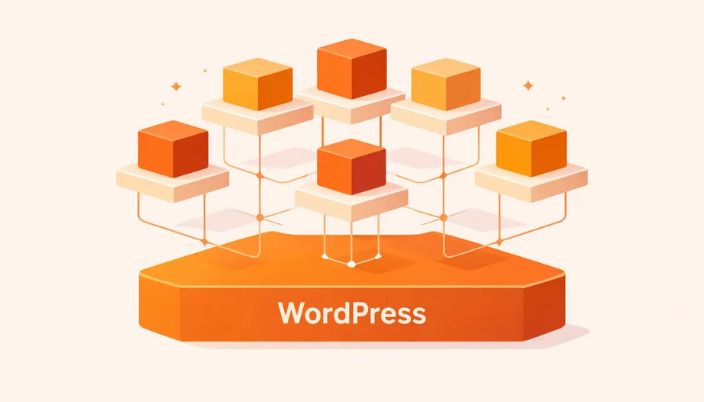
The role of the WordPress ecosystem
One of the reasons why WordPress has been so successful is its huge community and its ecosystem of tools.
Thousands of plugins, themes, hosting providers and professional services have grown around the platform over the years.
The appearance of official tools like Studio doesn't eliminate that ecosystem, but it does introduce a new dynamic.
WordPress is no longer just the foundation on which others build tools. Now he also starts building more tools himself.
This can lead to competition in some cases, but it can also raise the overall standard of the WordPress environment.
WordPress begins to close the circle
For a long time WordPress has been primarily the publishing engine: the place where the project ends.
But the rest of the journey relied on other tools.
Local development, deployment, integration with infrastructure or configuration of environments have traditionally been the responsibility of each team.
WordPress Studio targets just that initial part of the process.
It's not a technical revolution, but it's an interesting move from a strategic point of view.
Because when the platform itself starts offering official tools for local development, it's sending a pretty clear message: it wants to participate in more phases of the project.
When a platform begins to cover more parts of the process, it ceases to be just a tool: it begins to become infrastructure.
Studio doesn't change how you build sites with WordPress.
But it can change how many projects start.
And that move is probably the most interesting part of WordPress Studio.
Novicell can help you
If you're evaluating how to modernize the development flow of your WordPress projects, our specialists can help.
We have been accompanying companies for years in defining their digital architecture: from CMS choice to the deployment and maintenance strategy. We know the WordPress ecosystem in depth, and we also know when it makes sense to bet on it and when to explore other alternatives.
If you want to talk about how to improve your digital stack, contact us.
